Weather
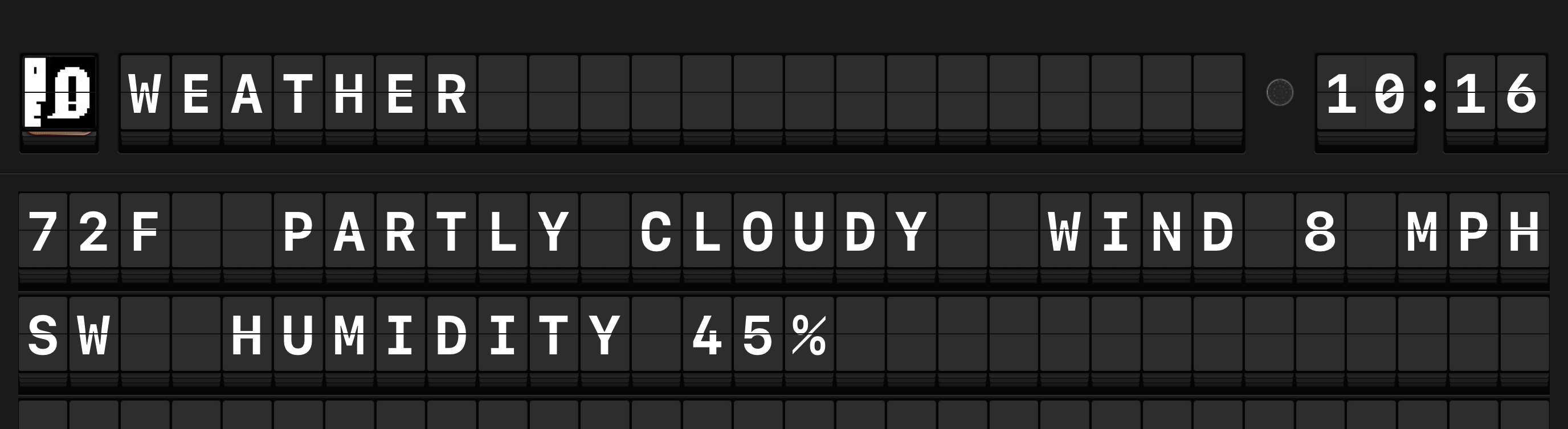
Arrivals Board displays current weather conditions and severe weather alerts for your location. The current temperature and conditions are shown on the board, and severe weather alerts arrive as urgent messages with a flashing red indicator lamp.
Setup
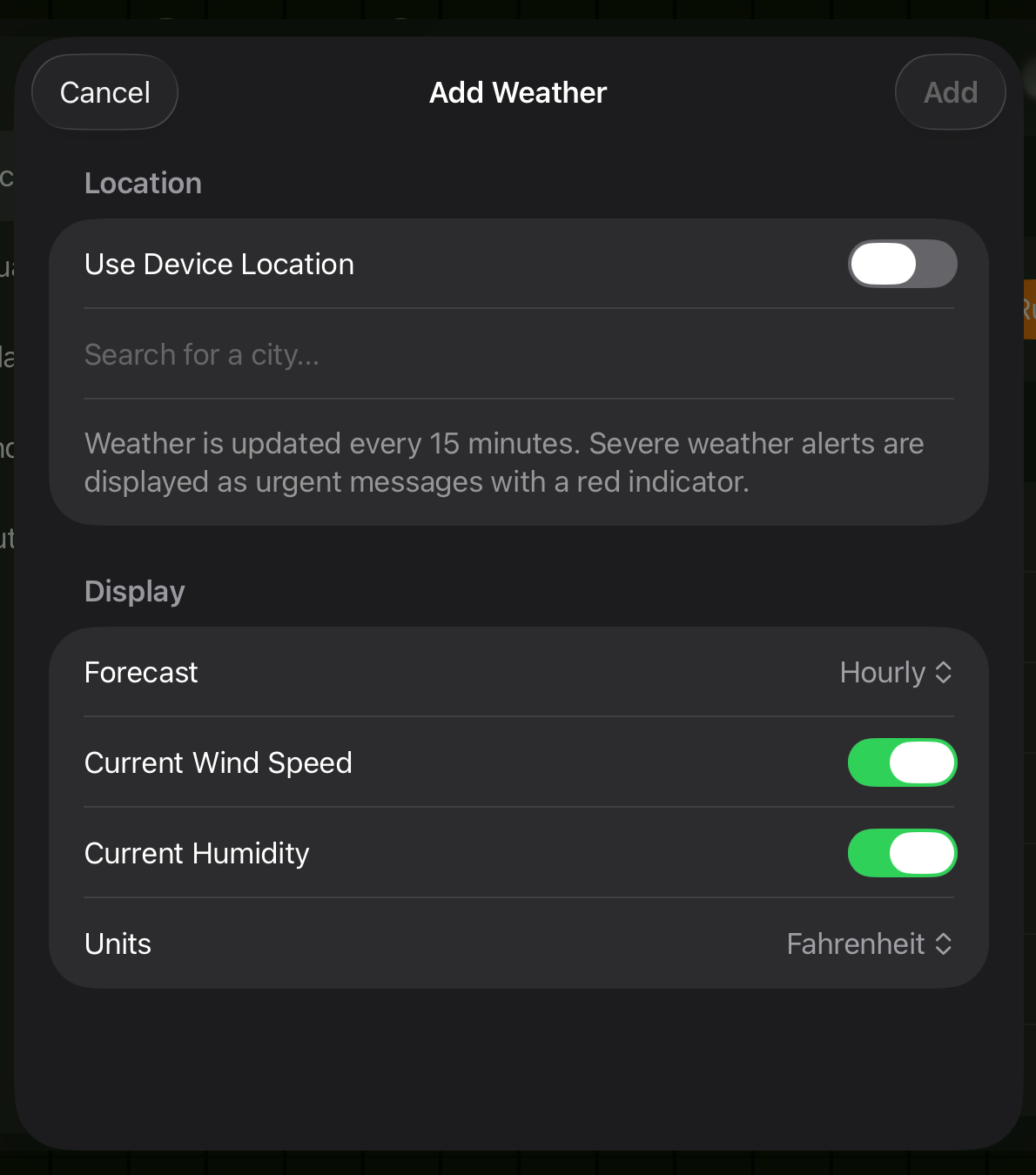
- Open Settings and tap Sources > Weather.
- Toggle Enable on.
- Choose your location method:
- Use Device Location (toggle on) --- Arrivals uses your current location. You will be prompted to grant Location permission if not already granted.
- Search by City (toggle off) --- Tap the location field and search for a city name. Select the correct result from the list.
- Choose your preferred Temperature Unit (Fahrenheit or Celsius).
- Current weather conditions appear on the board.
- Open Settings and navigate to Sources > Weather.
- Toggle Enable on.
- Choose your location method:
- Use Device Location --- Apple TV uses the location set in tvOS Settings > General > Privacy > Location Services. Grant Arrivals location access when prompted.
- Search by City --- Enter a city name using the on-screen keyboard and select the correct result.
- Choose your preferred Temperature Unit.
- Current weather conditions appear on the board.
Location permission
Location permission must be granted on each device individually. If you use "Use Device Location" on both iPad and Apple TV, each device reports its own location independently. This is useful if your devices are in different places (e.g., iPad at the office, Apple TV at home).
Configuration reference
| Option | Default | Description |
|---|---|---|
| Temperature Unit | System default | Fahrenheit (F) or Celsius (C) |
| Use Device Location | On | When enabled, uses the device's location. When disabled, uses a manually selected city. |
| Location | --- | City name for manual location. Only used when "Use Device Location" is off. |
| Current Wind Speed | On | Includes wind speed alongside the temperature in the current conditions display. |
| Current Humidity | On | Includes humidity percentage alongside the temperature in the current conditions display. |
| Forecast | Hourly | Controls whether a forecast is shown below the current conditions. Options: None, Hourly, or Daily. |
Forecast
When a forecast mode is selected, additional rows appear on the board below the current conditions:
| Mode | What it shows |
|---|---|
| None | Current conditions only --- no forecast rows. |
| Hourly | Upcoming hours with temperature and conditions, one per board row. |
| Daily | Upcoming days with high/low temperatures and conditions, one per board row. |
The forecast rows fill the available space on the board, so more rows are visible on larger displays.
Features
Weather condition icons
Each weather update includes an icon representing the current conditions. Arrivals supports the following 14 condition types:
| Icon | Condition |
|---|---|
| Clear / Sunny | |
| Partly Cloudy | |
| Cloudy / Overcast | |
| Fog / Haze | |
| Rain | |
| Heavy Rain | |
| Thunderstorm | |
| Snow | |
| Heavy Snow / Blizzard | |
| Hail / Sleet | |
| Windy | |
| Tornado | |
| Hurricane / Tropical Storm | |
| Dust / Smoke |
The condition icon appears on a separate flap beside the temperature, giving you an at-a-glance summary of current weather.
Severe weather alerts
When a severe weather alert is active for your location (tornado warning, severe thunderstorm warning, flood advisory, etc.), Arrivals displays it as an urgent message with:
- A flashing red indicator lamp on the left edge of the row.
- The alert headline and description as the message text.
- A sender label of "WEATHER ALERT".
Severe weather alerts take priority and appear at the top of the message queue. If the same alert remains active over time, you will only see it once --- it updates in place if the details change.
Troubleshooting
Weather not updating
If the weather source is enabled but no conditions appear:
- Check that Arrivals has Location permission if using device location. On iPad, go to iOS Settings > Privacy & Security > Location Services > Arrivals.
- If using a manual city, verify the location was selected correctly in the configuration.
- Verify your device has an active internet connection.
Use a manual location for a fixed display
If your Arrivals board is a permanent installation (e.g., mounted on a wall or running on Apple TV), consider setting a manual city rather than relying on device location. This avoids potential issues with location services on devices that rarely move.
Weather availability
Weather data is available in most countries and regions. Coverage for conditions and alerts may vary by location.