Sound Settings
Arrivals Board plays realistic mechanical clicking sounds as the flaps spin -- just like a real split-flap display. A single character makes a quiet click, while a full board update produces a satisfying rattle.
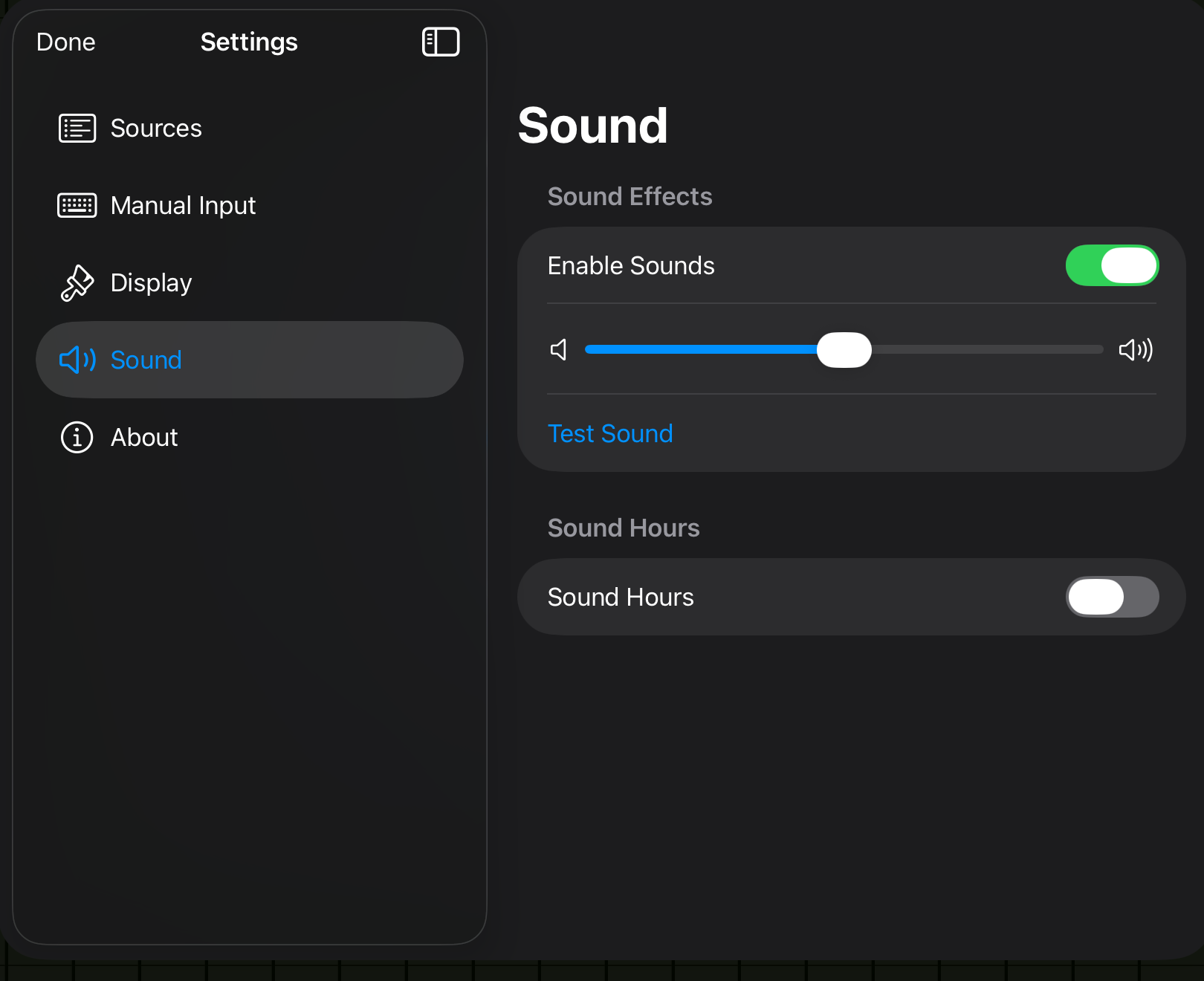
Settings
Open Settings > Sound to access these options.
| Setting | Options | Default |
|---|---|---|
| Enable Sounds | On / Off | On |
| Volume | 0--100% (slider) | 50% |
Enable Sounds
Toggles all flip sound effects on or off. When disabled, the board animates silently.
Volume
Controls the loudness of the flip sounds, relative to your device's system volume. The sound naturally scales with board activity -- a small update is a gentle click, while a full refresh is a wave of satisfying noise.
Test Sound
Below the volume slider, a Test Sound button lets you preview the flip sounds without waiting for a message to arrive.
Sound Hours
You can schedule a quiet window so the board stays silent during certain hours --- for example, overnight or during meetings.
| Setting | Options | Default |
|---|---|---|
| Sound Hours | On / Off | Off |
| From | Time picker | 7:00 AM |
| To | Time picker | 10:00 PM |
When enabled, flip sounds only play between the From and To times. Outside that window, the board animates silently.
Overnight schedules
The schedule wraps around midnight. If you set From to 10:00 PM and To to 7:00 AM, sounds will play during the overnight hours and stay silent during the day.
Playing with other audio
Flip sounds blend with any other audio playing on your device. If you are listening to music, a podcast, or other media, the flip sounds mix in without interrupting playback.
On iPad, the silent switch (or Silent Mode in Control Center) mutes Arrivals' sounds.
Ambient display with music
Arrivals is a great companion for background music. Run your favorite playlist alongside the board and enjoy the flip sounds layered on top.